Here's Why, and the Smarter Way to Go about it.
We were approaching an in-depth security assessment and our environment was running on an end-of-life Windows architecture. My team made the pitch to convert to Linux. I trusted them to execute it. They did, and when our authorization authority came in for the Security Inspection, we passed. Zero discrepancies.
That result settled something I've known for years but hadn't taken the time to act on: I really need to know Linux like I do Windows. So since I learn best by doing, I came home that day and spent the rest of the evening converting all three of my Windows machines to Linux.
A Different Language
Deploying to a new country during my time in the military meant learning the language fast, not because you had time, but because you had no other option. Linux felt exactly like that. The terminal, the file system, the permissions model, the package manager, none of it mapped cleanly to anything I knew from Windows. I was navigating without a map.
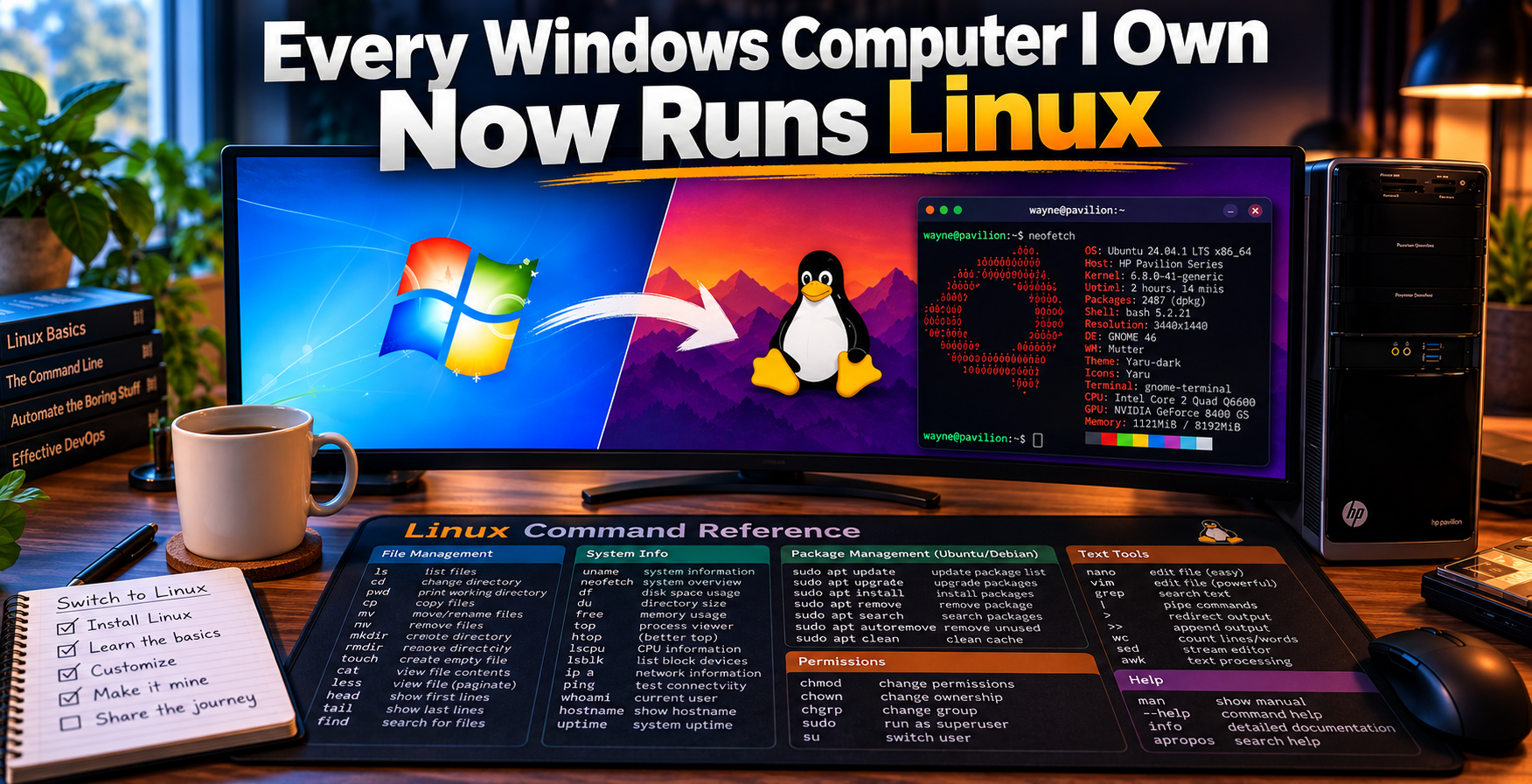
I bought a Linux desk mat: a physical quick-reference card with common Linux commands printed on it. It sat on my desk every day, especially when I was working from home and did not have the team nearby to ask. And I searched. Constantly. "How to do X in Linux" became a daily habit. A lot of the guides and runbooks published on this site came directly from those searches: me figuring something out, documenting it, and using AI to help me implement and validate it in my homelab. That is the honest origin of most of what you will find here.
Why Linux Is Not Optional in Security
This is not a matter of preference. It is a matter of what the industry actually runs on.
The majority of enterprise infrastructure, web servers, cloud instances, network devices, security appliances, runs on Linux. The tools the security field depends on run on Linux: Wireshark, Nmap, Metasploit, Splunk, Elastic, Wazuh, Snort, Suricata. That list does not end. Red team operations, blue team operations, incident response, threat hunting; all of it assumes you can navigate a Linux environment under pressure.
The major cloud providers default to Linux VMs. AWS and GCP all operate primarily in Linux-based environments; even Microsoft has shifted heavily toward Linux workloads in Azure. Government and defense environments run hardened Linux variants. The certifications that carry real weight in this field, CompTIA Linux+, RHCSA, anything in the OSCP track, are built around Linux as the operating environment.
You can memorize frameworks, pass written exams, and talk fluently about security concepts. But if you cannot open a terminal and work, you are going to hit a ceiling. In today's security landscape, knowing how to navigate a Linux OS is quickly becoming a baseline skill vice a bonus skill in the past.
My Route, and Why I Would Not Recommend It
I went all in! Three machines, all converted. No Windows fallback.
What that forced was exactly what I needed: daily Linux navigation with no safety net. I had to solve real problems in a real environment, driver issues, package management, kernel updates, file permissions, not in a controlled lab but in the middle of actual work. The terminal stopped being something I had to think about and became instinctive.
I will be honest about two things.
First: I was fortunate to have a Linux SME on my team. Having that resource changed the risk calculation significantly. When something broke in a way that a search engine could not quickly resolve, I had someone to turn to. That kind of access gave me the confidence to go all in. If you have that at work, use it.
Second: one machine eventually went back to Windows. That was not a defeat; it was a practical decision. I realized that I cannot support, secure, or test new features on a Windows environment if I am completely disconnected from it. Also, there are still some programs that run better on Windows.
The full conversion was the right move for how I learn. It is not the right move for most people. There are better ways to build the same skill without the same disruption.
The Smarter On-Ramps
Two options. Pick the one that fits your situation.
Option 1: Virtualization
Run Linux inside a virtual machine on your existing hardware. You get a full Linux environment, you can break things without consequences, and your primary OS stays intact. This is the lowest-barrier entry point and a legitimate learning environment.
Proxmox VE is my virtualization platform of choice. If you are serious about building a homelab, Proxmox is worth the investment: it runs multiple VMs and containers on dedicated hardware and gives you an environment that mirrors what enterprise infrastructure actually looks like. It is not a beginner tool, but it is the right destination.
Windows Hyper-V is built directly into Windows Pro and above: no additional software, no cost. If you already have a Windows Pro machine, this is the fastest way to spin up a Linux VM today. Note: it is not available on Windows Home.
VirtualBox (Oracle) is free, cross-platform, and beginner-friendly. It works on Windows, Mac, and Linux. This is the standard starting point for most people new to virtualization, and it gets the job done.
VMware Workstation Player is free for personal use and slightly more polished than VirtualBox for everyday use. Either works.
Choose whichever distro you want; Ubuntu, Debian, Mint or Pop!_OS, etc., and spend thirty minutes a day in the terminal. Break things. Fix them. That is the curriculum.
Option 2: The Old Computer Sitting in Your Closet
That laptop that cannot run Windows 11. The desktop that has been collecting dust because it is too slow for modern Windows. It is not dead. It is a Linux machine.
One of my three converted machines is an HP desktop purchased in 2002. Not a typo. That machine is currently running Pop!_OS Linux as my daily driver, and it is part of the same setup that produces the runbooks and guides on this site. A 2002 machine that Windows left behind years ago is fully functional today because Linux does not require modern hardware. It requires the willingness to learn.
Still on the Road
I have not arrived at Linux. I want to be clear about that.
I am still learning. The "How To" searches still happen, just a lot less frequently than they did at the start. The terminal is no longer a foreign language; it is more like a second language I use every day but am still building vocabulary in. That is progress. And progress, not perfection, is the point.
Every guide and runbook on this site is a waypoint on that journey: something I figured out, wrote down, and published because someone else is going to hit the same wall.
Now I want to hear from you. Where are you in your Linux journey? Are you just starting out and trying to figure out which distro to install? Somewhere in the middle, running Linux daily but still reaching for Google more than you would like? Or are you an experienced user who has been in this long enough to have real advice to share?
Drop it in the comments. The learners need to hear from the experienced, and the experienced need to remember what it felt like to start. That exchange is how this community gets better.
We are all somewhere on the road. Let us know where you are.
Have thoughts or questions? Drop them in the comments below.