Ministry is people work. But the people work gets harder when the administrative load is crushing you, especially if you're a young church planter without an established team.
Church administration requires the ability to manage multiple tasks weekly: managing communications, tracking giving, planning services, running meetings, and handling member questions. And for the pastor who finds himself doing all the above, something always gets deprioritized. Usually it is the thing that matters most.
Now that AI is here and evolving, we can leverage this technology to carry some administrative weight that keeps us from what we actually want to be doing — talking to people.
I use Claude for this. Claude is the AI platform from Anthropic, and it is the tool I have built into my workflows. The five things below are not theoretical. They are practical, they are accessible today, and none of them require a technical background to use. If you can type a question, you can do this.
Here are five things you can put Claude to work on right now.
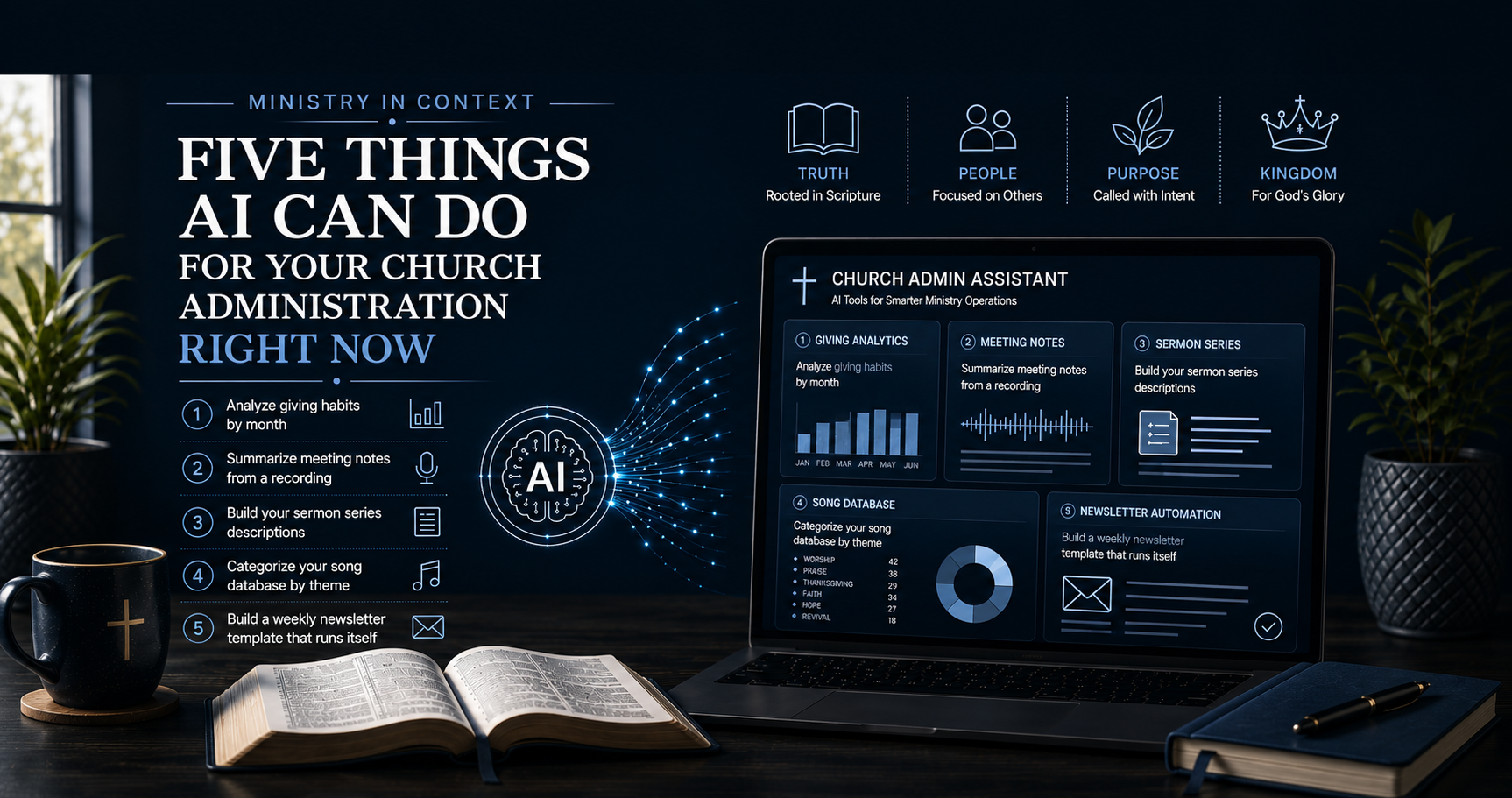
1. Analyze Giving Habits by Month
Giving trends tell a story. Most churches know they have a year-end giving spike and a summer dip, but beyond that, the data rarely gets examined in a way that is actionable. That is not because the information is not available. It is because no one has time to sit down and work through it.
Claude can do that analysis in minutes.
Export your giving data from your ChMS (Church Management System) into a spreadsheet or CSV file. Remove any personally identifiable information. Work with totals and categories, not individual member records. Upload the file to Claude and ask it to work.
Sample prompt:
"Here is our monthly giving data for the last two years. Identify our highest and lowest giving months, any patterns across the calendar year, and the percentage difference between our top and bottom months. Then give me three talking points I can use in a stewardship message to address our giving gaps."
What you get back is a clear summary of your giving patterns and ready-to-use language for a stewardship conversation. That is not a report you have to build; it is a briefing Claude built for you.
One caution: keep member-level giving data out of any AI tool. Work with aggregated totals only. Stewardship of member information is a pastoral responsibility, and that standard does not lower because the tool is convenient.
2. Summarize Meeting Notes from a Recording
Every leadership meeting produces decisions, action items, and follow-up commitments. Most of those things live in someone's handwritten notes, or worse, in no one's notes, and follow-up is inconsistent at best.
Claude can turn a meeting recording into a structured summary in minutes.
Most video conferencing tools (Zoom, Microsoft Teams, Google Meet) have built-in transcription. If your meeting was recorded, download the transcript. If you are working from a voice recording, use a free transcription tool like Otter.ai or the transcription built into your phone. Then upload the transcript to Claude.
Sample prompt:
"Here is the transcript from our elder board meeting. Summarize the key decisions made, list every action item with the name of the person responsible and any deadline mentioned, and flag any questions that were raised but not resolved."
What comes back is a clean meeting summary you can distribute to the team the same day, without anyone having to type it up. Action items are clear, ownership is assigned, and nothing falls through the cracks because it was buried on page four of a transcript nobody read.
This one alone can change how your leadership team operates.
3. Build Your Sermon Series Descriptions
Every sermon series needs descriptions: for the bulletin, the website, social media, and any promotional material you produce. Writing four or five compelling descriptions for a new series is time most pastors do not have, and it often gets done hastily or not at all.
Claude writes these well, and it writes them fast.
Give it the series title, the key passages, the number of weeks, and the main theme you are driving. The more context you provide, the better the output.
Sample prompt:
"I am preaching a five-week series called 'Rooted' on spiritual disciplines using the following passages: Psalm 1, Matthew 6:5-15, Luke 10:38-42, John 15:1-11, and Colossians 2:6-7. The series is designed for a congregation of adults ranging from new believers to long-time church members. Write five individual sermon descriptions for our bulletin and church website. Keep each description under 80 words, make them compelling without being vague, and tie each one clearly to its passage."
What you get is five ready-to-use descriptions that you review, adjust to your voice, and publish. The heavy lifting, staring at a blank page and trying to condense a sermon into 75 words, is done.
This also works for individual sermon titles, small group discussion questions, and series promotional copy. Hand Claude the raw material; let it do the first draft.
4. Categorize Your Song Database by Theme
I want to speak directly to this one because I lived it.
One of my responsibilities as Worship Pastor was finding the right song for the right season, and making sure what we sang on Sunday reinforced what was being preached. That alignment between the worship set and the message is not accidental in a healthy church. It is intentional, and it takes work.
My system at the time was a spreadsheet. I built it manually: song title, key, tempo, theme, and notes about when we had last used it. Every time our pastor needed to plan a series, I was scrolling through that spreadsheet, cross-referencing the preaching calendar, and trying to hold the whole picture in my head. It worked, but it was slow, it depended entirely on my memory of what each song actually said, and it had to be maintained by hand every time we added something new to the rotation.
AI was not on the scene during those days like it is today. But here is how Claude makes that same task significantly easier, and more usable than any spreadsheet I ever built.
Build a spreadsheet with your song titles and any additional information you have: scripture reference, key lyrics, original artist, themes you have manually tagged over the years. Upload it to Claude along with your preaching calendar or the themes of an upcoming series.
Sample prompt:
"Here is our worship song database of 75 songs. Categorize each song by its primary theological theme, for example: grace, surrender, praise, the cross, the Holy Spirit, mission, healing, faith. Then review our four-week preaching series on the Holy Spirit (passages: Acts 2:1-13, John 16:5-15, Romans 8:1-17, Ephesians 5:15-20) and recommend five to seven songs from the database that best support each week's message."
What you get back is a themed catalog of your entire library and a week-by-week worship recommendation tied directly to the preaching content, in minutes, not hours. Your worship leader has a starting point. Your service planning conversation has a framework. And the alignment between the pulpit and the platform that used to require a long planning session now has a solid foundation before anyone sits down.
The spreadsheet still has its place. But now Claude is working it with you.
5. Build a Weekly Newsletter Template That Runs Itself
If you have been in ministry long enough, you have seen it: the newsletter that looks different every week depending on who put it together, what they remembered to include, and how much time they had. No consistent structure. No predictable flow. Members never quite know where to look for the information they need, and the person producing it is starting from scratch every single time.
That is not a content problem. That is a systems problem.
Claude can solve it, and once the system is built, it can be automated so that producing the weekly newsletter becomes a fill-in-the-blanks task rather than a creative exercise anyone has to muster energy for.
Start by telling Claude what your newsletter needs to communicate every week. Think through the sections that matter to your congregation: a word from the pastor, upcoming events, sermon series information, volunteer needs, giving updates, prayer requests, community announcements. Not every section runs every week, but the structure should be consistent so readers know where everything lives.
Sample prompt:
"Help me build a weekly church newsletter template. Our newsletter goes out every Thursday via email. It needs to include the following sections every week: a brief pastoral note (100-150 words), the upcoming Sunday sermon title and scripture, three to five church announcements with dates, a volunteer spotlight or need, and a closing prayer or scripture. Build me a reusable template with clear section headers, placeholder text showing what goes in each section, and a consistent tone that is warm but not overly casual. The template should be easy for an administrative assistant to fill in each week without needing to make formatting decisions."
What comes back is a ready-to-use template with structure, placeholder language, and consistent formatting baked in. Every week, whoever produces the newsletter opens the template, fills in the content for that week, and sends it. The decisions are already made. The format is already set. The only variable is the actual information, which is exactly how it should be.
From there, the automation layer is straightforward: use a scheduling tool like Mailchimp, Constant Contact, or your ChMS's built-in email tool to send on a set day and time each week. Claude builds the template; the schedule handles the delivery. Your newsletter goes out consistently, not when someone remembers, not when someone has time, but every Thursday at 9am because that is when your congregation expects it.
Consistency builds trust. A congregation that knows the newsletter arrives on Thursday, looks the same every week, and always has the information they need in the same place is a congregation that actually reads it.
Where to Start
Do not try to implement all five at once. Pick the one that costs you the most time right now and start there. Spend one session learning how to hand that task off to Claude. Get comfortable with it before you add the next one.
The goal is not to automate ministry. The goal is to protect the time ministry actually requires: the conversations, the counseling, the presence, the prayer. Those things cannot be handed off. The administrative work that is eating that time can be.
Claude is one tool. It is the one I use and the one I recommend, not because it is the only option, but because the quality of the output and the ability to upload documents, recordings, and data makes it the most practical fit for what ministry teams actually need to do.
Start with one task. See what an hour of your week back feels like.
But Here Is What Takes It to the Next Level
Every prompt in this post will produce useful output. Run any one of them and you will get something you can work with: a giving summary, a newsletter template, a set of sermon descriptions. That is real value, and it is available to you today.
But here is what changes the game entirely.
Run those same prompts with your context in place, your church's name, your preaching voice, your theological framework, your congregation's culture, your ministry philosophy, and what comes back is not a general output you adapt. It is a tailored response that already sounds like you, already fits your framework, and already reflects the way your ministry operates.
That is the difference between AI giving you a starting point and AI functioning like a ministry partner that actually knows your church.
That is exactly what the Ministry in Context pack is built to do.
Ministry in Context is a downloadable context pack designed specifically for pastors, worship leaders, and church administrators. Load it into Claude once, and every conversation, every prompt, every task, every output, is shaped by your voice, your values, and your ministry context from the first word.
The giving analysis reads like your stewardship language. The newsletter template reflects your church's personality. The sermon descriptions sound like they came from your study, not a template.
You already know what AI can do. Now let it do it in your voice.
Which of these would have the biggest impact on your ministry's administrative load? Drop it in the comments; I want to know where the pressure is.
Tags: AI for Churches | Church Administration | Ministry Technology | Claude AI | Pastoral Productivity | Worship Planning | Stewardship | Non-Profit Administration